A specifier looking at a building product rarely needs another general brochure. They need to identify the exact item, see the performance information relevant to their application and find the right supporting document without guessing which revision applies. A contractor may need installation guidance; procurement may need a product reference and a clear route to availability or price.
This article is about the information attached to a particular product and variant. Our building materials website guide covers the wider catalogue and navigation; the trade enquiry guide follows the buyer after they have selected an item.
Start with one maintained product record
A website becomes difficult to trust when the category card, product page, download and enquiry form describe different versions of the same item. Choose one maintained product record as the source for its name, reference, available variants, current documents and contact route. The page may show a summary while the technical sheet carries full detail, but the two should agree.
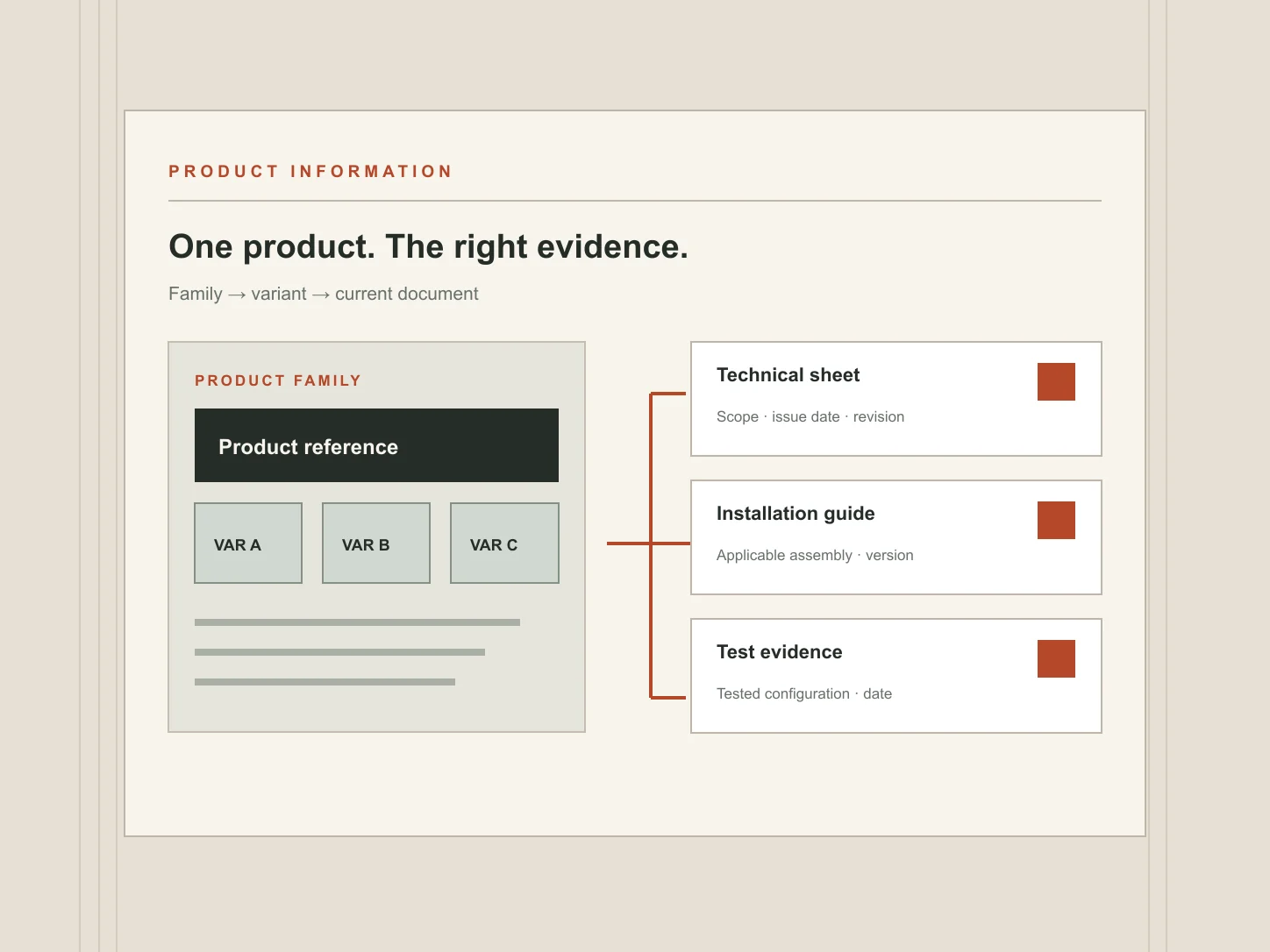
Give every variant a distinct identifier where the business uses one. A family name alone may conceal differences in thickness, finish, size or intended use. If those differences change the supporting documents, show the relationship explicitly. Where a document covers the whole family, label its scope rather than duplicating it under every variant as though it were variant-specific.
Assign an owner for product information. Sales, technical and marketing colleagues may each edit different material, but someone must decide what is approved for publication and what happens when a product changes or is withdrawn.
Organise the range before presenting a wall of downloads
Categories should help a visitor narrow by an understandable distinction: product type, application, material or system, depending on how the range is chosen. A supplier of cladding components may need an application route for architects and a reference route for buyers who already know the item. Both routes should lead to the same maintained product page.
A product-family page can explain the range, show the variants and identify the decisions that separate them. Then the individual page can carry the detail needed for evaluation. Do not put thirty indistinguishable PDF icons on the family page and expect a buyer to work out which one is current.
Keep essential selection information in the page
The visible page should answer the first selection questions without forcing a download: exact product identity, intended applications described by the manufacturer, available variants, key dimensions or performance characteristics with units and any important conditions or limitations. Link to the full technical sheet for detail that is too extensive or needs a controlled document format.
Performance values need their test or stated conditions where those affect interpretation. A number without a unit or context can be misleading. Do not turn a laboratory result for one configuration into a headline claim for an entire system. If a value is unavailable, do not fill the gap with a decorative “high performance” label.
Keep comparisons to fields that genuinely mean the same thing across the options. If one product has a property that does not apply to another, say “not applicable” or explain the difference; an empty cell can look like a missing document.
Make each document identifiable before it is opened
A useful resource list gives more than a filename. Show the document type, product or variant covered, revision or issue date, language and file format. A short note can clarify whether it is a technical datasheet, installation guide, test report or other evidence. This helps a reader decide which file to open and helps the supplier spot obsolete links.
On smaller screens, scroll across to read all columns.
| Visible label | Scope shown on page | Detail to maintain |
|---|---|---|
| Technical datasheet | Product family and listed variants | Document revision and issue date |
| Installation guide | Applicable assembly or fixing method | Current version and any exclusions |
| Performance or test evidence | Tested configuration only | Issuing organisation, date and claim supported |
These are example labels, not a required document pack. The real list depends on the product and the information the manufacturer can substantiate. Make filenames useful when a file is saved locally, but also keep the visible link label descriptive. If a document is replaced, review links from category pages, specifications and old product references rather than assuming every visitor arrives at the new page.
Describe certification and conformity with care
“Certified product” is too vague when the certificate applies to a particular variant, system, factory, test or period. State the holder, issuing body, document reference and scope where these are relevant and verified. Separate a test report from a certificate, and a manufacturer's declaration from third-party evidence.
UK construction-product rules depend on the product, applicable technical specification and market. GOV.UK's guidance for Great Britain sets out the current framework and points to separate Northern Ireland guidance. A website should publish the approved information for the actual product and destination, with technical or legal review where needed. It should never suggest that every item needs the same mark or certificate.
Where a document's scope is hard to explain briefly, link to it with a precise label and give the technical team a route for project-specific questions. Do not ask a visitor to infer suitability solely from a logo.
An example of a useful product page
Imagine a fictional panel supplier with three thickness variants. The example below describes an information hierarchy, not a real product specification or recommendation:
- Identity: family name, variant references and a clear image or drawing.
- Selection summary: intended use, available sizes and the distinctions between variants.
- Technical table: relevant properties, units, conditions and variant-specific values.
- Application notes: installation or compatibility information approved by the technical owner.
- Documents: each file labelled with its type, scope and current revision.
- Next step: technical question, sample request or quotation, with the selected variant carried into the enquiry.
The manufacturing product-page guide expands the broader purchasing decision around variants, evidence and quotation. For building products, the additional discipline is keeping the product claim tied to the correct document and application.
Test access on a phone and after a revision
Open the page on a phone and try to identify the right variant without zooming into a PDF. Download the relevant file, then return to the product and send a technical question. Long tables may need a clearly labelled horizontal scroll area; do not shrink technical text until it is unreadable. If a PDF is difficult to use, keep essential selection details in accessible HTML and offer an alternative way to obtain the information.
Then simulate a document revision. Who approves the replacement, changes the visible date, checks the product summary and confirms that the enquiry team has the same version? A neat interface cannot compensate for a stale file. Our manufacturer and supplier website service begins with this kind of product and information audit before deciding how much catalogue structure the site needs.