A procurement team may reach a manufacturing product page with a part number, a specification to check and a delivery question. An engineer may arrive through an application search and need to compare variants. Both need to know exactly what the page describes before they request a quote. A photograph and a “Get in touch” button are rarely enough.
This guide concentrates on the individual product page. Our manufacturing website structure guide covers the wider navigation between products, applications and capabilities. The page below is the point where those routes should meet one maintained product record.
Name the item so it can be found again
Put the product name, family, part number or model reference and current status together near the top. If customers use a familiar trade name while your team uses an internal code, show both. A buyer should be able to copy the exact reference into a purchasing system or an email without opening a PDF.
Explain what the item is for and what the manufacturer actually supplies. A component, a configurable assembly and a made-to-order service are different offers. If a page describes a family rather than a purchasable variant, say so and give a clear route to the specific options.
Keep the URL stable when a specification changes, but make the current record visible. If a product is withdrawn or superseded, state that plainly and link to an appropriate successor only after a technical owner has confirmed the relationship. An automatic redirect can conceal information a buyer needs for an existing installation.
Make variants comparable without inventing precision
A useful product page lets a buyer see which choices affect the order: size, material, finish, configuration, rating or connection type, as applicable. Put the variant identifier beside each option. If the combination must be confirmed by the supplier, do not create a selector that appears to promise every possible configuration.
Present comparable specifications in a table with units and conditions. Avoid an image of a table when actual HTML can be read, copied and searched. Mark unknown values as “to be confirmed” rather than leaving an ambiguous dash. A page that mixes nominal and measured values should make that distinction clear.
Do not publish a machine's maximum capability as though it applies to every product made on it. If a tolerance, material grade or finish depends on the chosen process or volume, put that context next to the value. The product owner and technical team should approve what is public.
Show application and compatibility as evidence, not a slogan
Describe intended applications in terms that a buyer can assess. “Suitable for all industrial uses” is rarely helpful. A component may be intended for a particular assembly, operating condition or customer specification. Where compatibility depends on another part, identify the reference or explain that the combination needs review.
Supporting diagrams can show interfaces, orientation and dimensions more clearly than a lifestyle image. Use a real product photograph to identify the item and a drawing or diagram to explain selection, with text that states what each view shows. Do not use a visual as a substitute for the approved specification.
Relevant project examples can help when they show the actual role of the product and the conditions of use, with customer approval. They should not imply that a past supply automatically proves suitability for a new application.
Keep documents and quality information beside the claim
Link the technical sheet, installation or maintenance information and any relevant quality evidence from the product page. Name each document by type, scope and revision or date, where available. If one file applies only to a variant or assembly, do not present it as evidence for the whole family.
Quality and certification information belongs here only when it is current, relevant and accurately described. State what the document actually covers, who issued it and how a buyer can obtain further evidence when necessary. A vague badge cannot answer a procurement question. For building products, our technical-document guide goes further into product-specific evidence and revision control.
Some products need downloadable drawings or data in formats used by the customer's design team. Offer the files the business can maintain. If a file is available only after technical review, explain that route rather than advertising a download that cannot be supplied.
Handle price, lead time and availability honestly
Publish a price or lead time only if the underlying process keeps it accurate for the chosen variant, quantity and destination. “From” prices need a clear basis. If the offer requires a quotation, say what information helps the team respond: reference, variant, quantity, destination and intended timing, with uncertainty allowed where appropriate.
Stock status is similarly specific. A warehouse count, a production slot and a committed delivery date are different things. If the site cannot show live availability reliably, a clear request for confirmation is better than a stale “in stock” label.
An information hierarchy for one product page
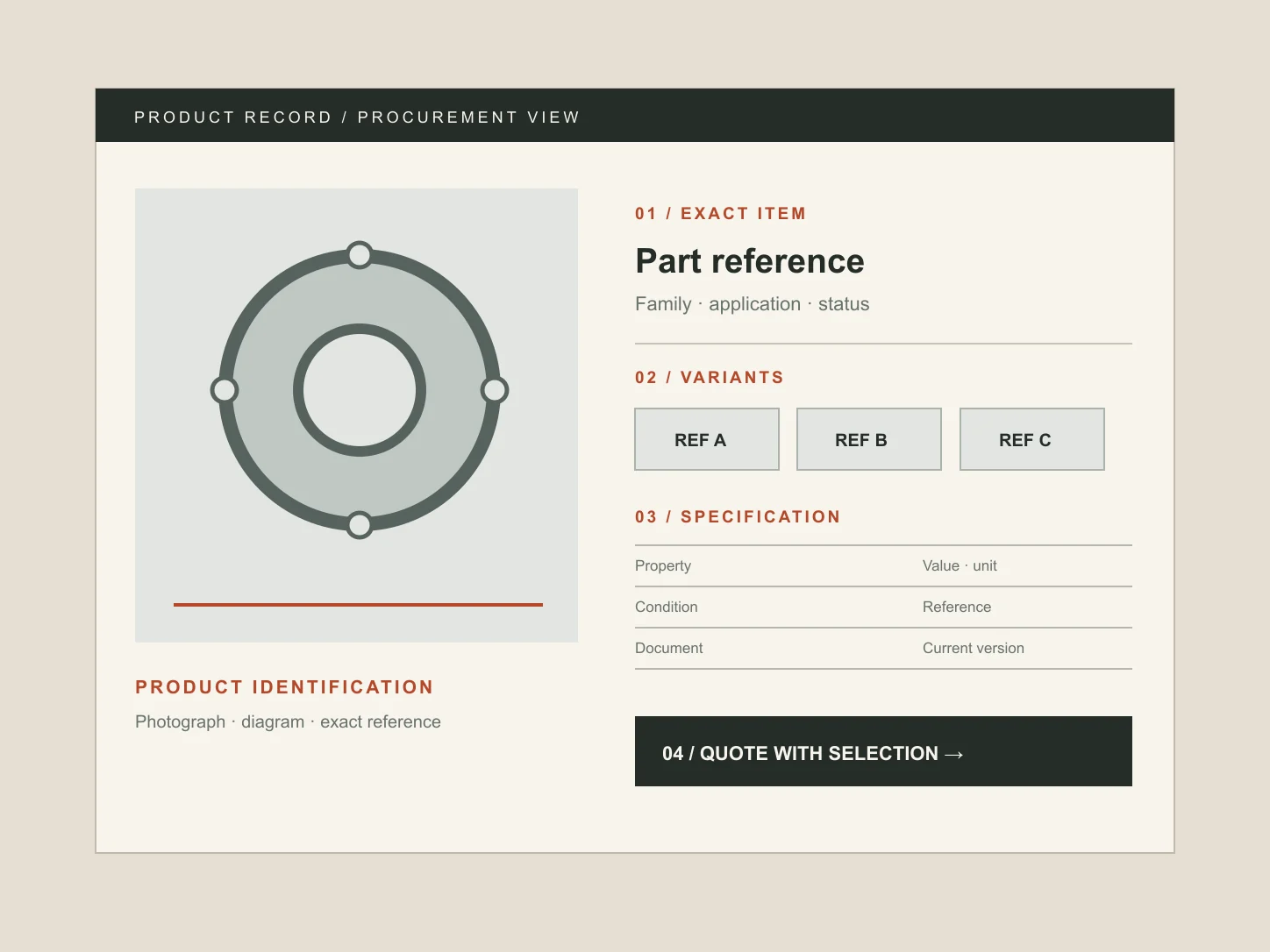
Consider a fictional manufacturer selling a configurable mounting component. This outline illustrates content order, not a real item or engineering specification:
- Identity: product family, exact reference and status.
- Short description: what the component does and the intended application.
- Variant chooser: supported sizes, materials or configurations with distinct codes.
- Specification: an HTML table of values, units and relevant conditions.
- Visual evidence: approved product photographs and a labelled technical diagram.
- Resources: current documents, each tied to the right variant or family.
- Commercial next step: request a quote or ask a technical question with the selection carried forward.
A short product page can use this order without forcing seven separate visual panels. The point is that identity, evidence and next step remain connected. On mobile, do not hide the specification behind tiny tabs or make the buyer download a document simply to confirm a reference.
Carry the selection into the enquiry
The enquiry route should include the selected product and variant visibly, so the buyer can correct them. Ask for the quantity with units, destination and timing if they affect the quote. Leave room for a specification question; procurement may be checking fit before a purchase is approved. Do not make every field compulsory when the buyer is seeking clarification.
Test the received message with the person who prices the work. Can they see the exact item and what remains uncertain? Can they reply without asking the customer to repeat information already on the page? If the product is a building material, the trade enquiry guide examines that later handover in more detail.
Finally, give the product record a named owner and a review trigger: changed variant, revised specification, new document or withdrawn item. A page is useful only while its information matches what the business can supply. Our manufacturer website service starts with representative products and real buyer tasks to establish what the site must maintain.